

learn-stack guide
Read, highlight, and keep the evidence
The reader, highlights attached to concepts, notes with links, and cards made from what you marked.
6 steps · about 3 min. Press → or space to advance; swipe on a phone.
Step 1 of 6
Open the reader
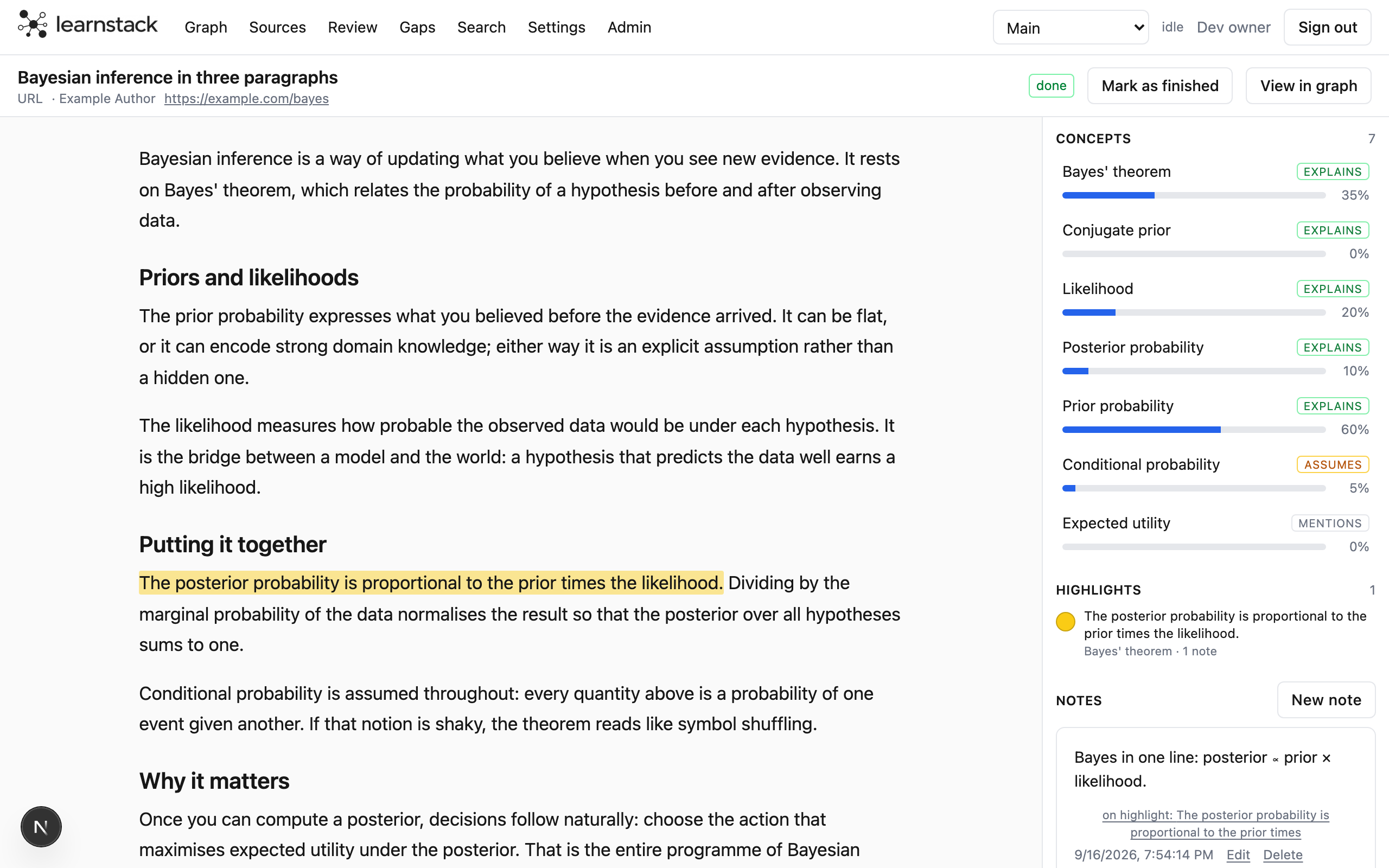
Click a source title on Sources, or Continue on Today, to read it in the app. Articles are shown as clean text, PDFs page by page. The rail on the right lists the outline, the concepts on this page, your highlights and your notes.
Step 2 of 6
Highlight a passage
Select some text and a small popover appears. Pick a colour, attach the highlight to a concept, or type a note straight away. The highlight is anchored to the text itself, so it survives re-runs and layout changes.
- Attach to a concept: start typing a name, the picker matches names and aliases.
- A highlight can carry several concepts, a note and cards.
Step 3 of 6
Write notes that link
Notes are markdown. Type [[Concept Name]] to link to a concept; the link resolves by name or alias and shows up on that concept's Notes tab. Notes count as coverage for the concepts they mention, so they move mastery a little too.
A note on a highlight keeps the quote next to your own words.
Step 4 of 6
Make a card from it
The card button on a highlight opens a front/back editor pre-filled with the passage. Cards belong to a concept and go into the review queue with spaced repetition. From a concept panel's Cards tab you can also ask for suggested cards based on the evidence.
Step 5 of 6
Find your way back
The Highlights list in the rail is ordered as they appear in the text and grouped by section; click a row to jump. With six or more highlights, a filter row narrows by colour or to those with notes or cards.
- Keys n and p step to the next and previous highlight; the pill in the top bar shows where you are.
- The ] key hides and shows the rail.
- ? lists every shortcut.
Step 6 of 6
Your place is kept
Scrolling saves a bookmark, so Today's "Continue reading" and the Sources page bring you back to where you stopped. Reaching the end marks the source finished. Jumping to a highlight never moves the bookmark.
Next guide: bring the material back before you forget it.
That is it