

learn-stack guide
Remember it: Today, review and quizzes
The Today view, the review queue, quizzes with graded answers, self-ratings and what mastery means.
6 steps · about 3 min. Press → or space to advance; swipe on a phone.
Step 1 of 6
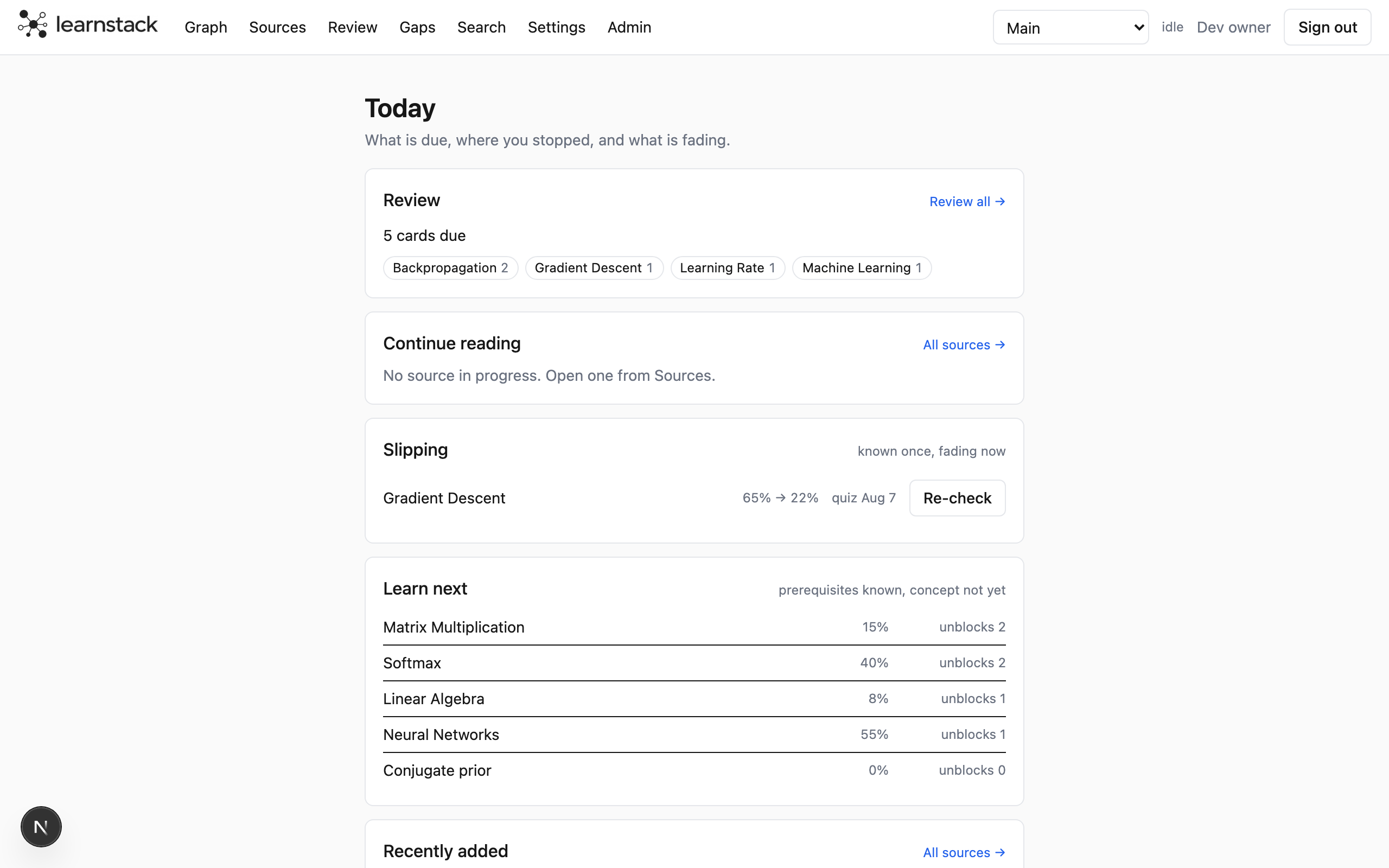
Start at Today
The home page is a daily dashboard: cards due for review, where you stopped reading, concepts that are slipping, what to learn next and what you added recently. It refreshes when a job finishes.
Step 2 of 6
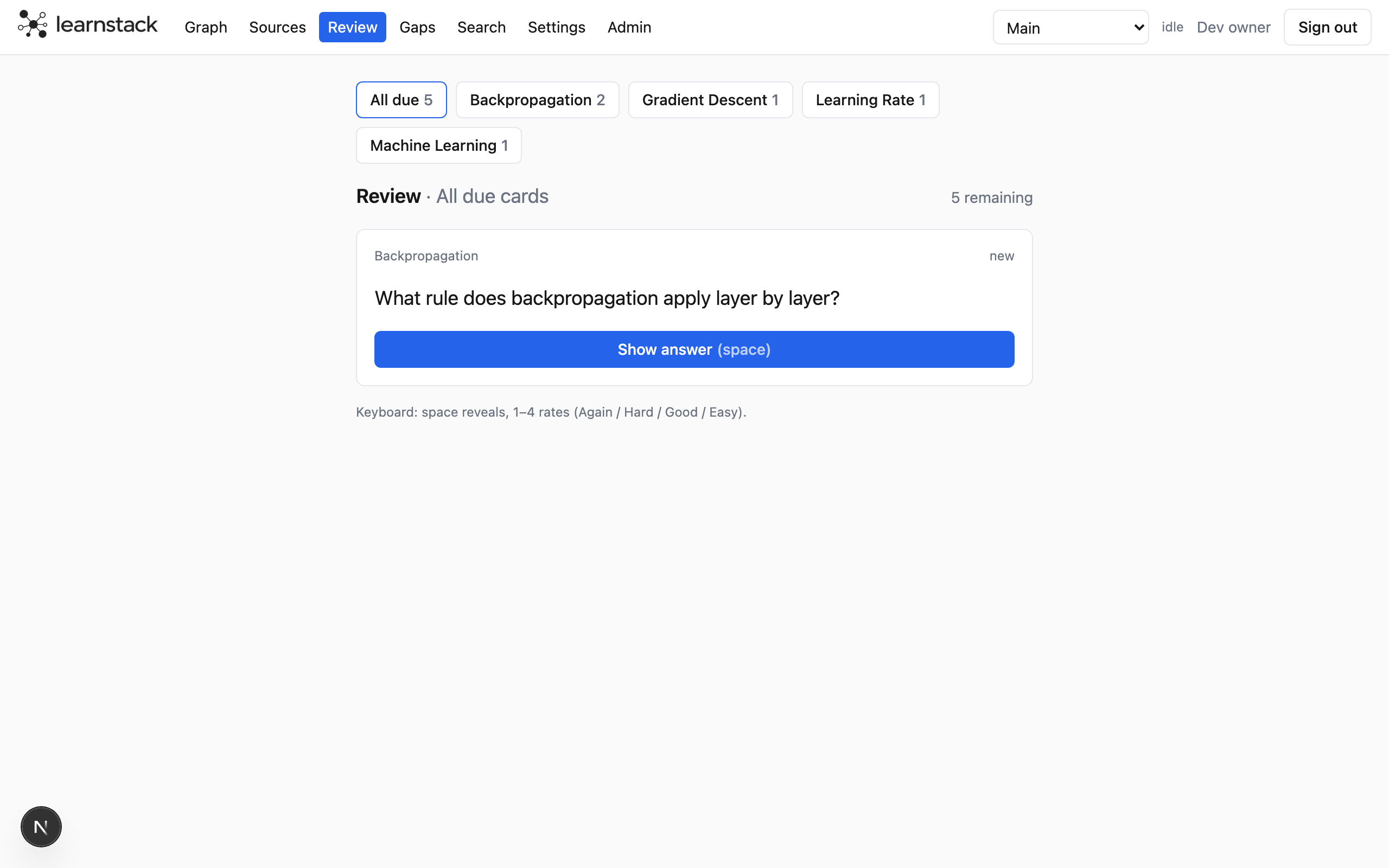
Review the queue
Review shows one card at a time. Reveal the back, then rate it Again, Hard, Good or Easy; each button shows the interval it would give. Scheduling is FSRS, so the card comes back just before you would forget it.
- Review a single concept, or a whole topic with its children, from the concept panel's Cards tab.
- Export any set of cards to Anki from the Export page.
Step 3 of 6
Take a quiz
The Quiz tab in a concept panel generates a few questions from the evidence in your sources. Answer in your own words. Each answer comes back graded, with feedback on what was missing and a self-contained ideal answer.
- "Make a card" turns an ideal answer into a flashcard in one click.
- Quiz history stays on the tab, so you can see how the answers improved.
Step 4 of 6
Rate yourself
On the Overview tab, rate how well you know a concept from 1 to 5. It is the quickest signal and it is enough to turn a grey "not tested yet" node into a coloured one.
Step 5 of 6
Catch what is slipping
A concept you once knew and have not touched for a while shows up under Slipping on Today. A two-question re-check is offered right there; a good answer restores the score, a miss shows the gap.
Step 6 of 6
What the colour means
Mastery is one number per concept from reviews, quizzes, self-ratings and how well your notes and sources cover it. It rolls up the topic tree and fades over time, so a green node stays green only if you keep coming back.
- Grey: not tested yet (no review, quiz or rating on it or below it).
- Red outline: a gap, whatever the colour.
- Red badge: cards due.
Next guide: fill the gaps and pick what to learn next.
That is it